
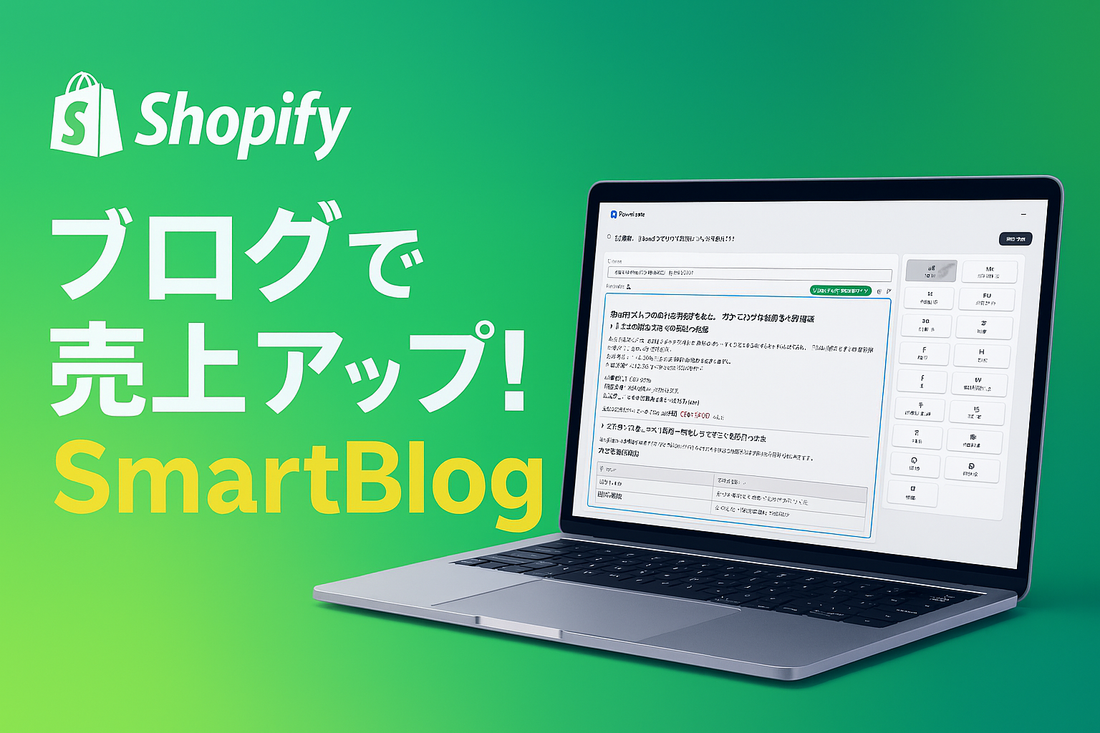
Reasons You Should Start a Blog Now to Grow Your Shopify Store's Sales
1. The Three Essential Elements for Growing E-commerce Sales
Many businesses operating online stores with Shopify face challenges such as "getting traffic but not converting to sales" or "relying too heavily on advertising and not making a profit."
This is where we need to reconsider the basic framework for growing e-commerce sales.
To increase sales, three main elements are necessary:
Customer Acquisition (getting recognized)
Building Trust & Encouraging Consideration (being chosen even when compared)
Maximizing Purchase Rate & Repeat Rate (getting customers to buy and buy again)
The marketing method that works for all of these is blogging (content).
2. Blogging: A Versatile Channel Supporting Everything from Customer Acquisition to Trust and Purchase
Blogging might seem like a "mundane" strategy at first glance, but it's actually a crucial channel that boosts overall e-commerce marketing.
The Role of Blogging
Phase |
Blog's Contribution |
|---|---|
Awareness (TOFU) |
Acquire search traffic through SEO / Share and spread on SNS |
Consideration (MOFU) |
Stories, product use cases, comparison articles |
Purchase (BOFU) |
Drive purchases with limited offers and FAQ articles |
Branding |
Author's voice / Behind-the-scenes development / Customer testimonials |
Repeat Purchase |
After-sales guide / New product introduction articles |
An article, once written, can generate traffic, build trust, and lead to sales over the long term.
This is the strength of an "asset-based channel," which is completely different from advertising or social media.
3. What is Shopify Blog? — What You Can Do with Standard Features
Shopify comes with a standard "Blog" feature, separate from product and collection pages.
You can manage it from "Content > Blog posts" in the admin panel and use the following basic features without installing additional apps.
Item |
What you can do as standard |
Notes |
|---|---|---|
Creating a blog |
Can have multiple blogs (e.g., news / blog / faq) |
Automatically generated under store URL |
Posting articles |
Enter title and body (rich text) |
Image insertion and link settings also possible |
Categorization |
Classify articles using tags |
Tag search page is automatically generated |
SEO settings |
Edit page title / meta description |
Permalinks can also be changed |
Publication date/time |
Publish immediately / Schedule publication |
Draft saving also possible |
Comments |
Toggle ON/OFF, can be moderated |
For community management |
Author |
Displayed per Shopify account |
Controlled by user permissions |
4. In-depth Explanation of Shopify Blog Use Cases and Article Types
To increase sales on Shopify, it's essential to optimize the "marketing funnel" including customer acquisition, trust-building, purchase promotion, and repeat purchases.
Blogging is a versatile and continuously valuable channel that can effectively impact all these phases.
Here are 6 common blog article patterns, categorized by objective:
① [Customer Acquisition] SEO Strategy Articles (Increasing Search Traffic)
Objective: Articles aimed at acquiring new customers via search engines. Effective for attracting stable traffic without relying on advertising.
Target: Potential customers who are not yet familiar with the brand or product.
Example keywords:
"Camping beginner recommendations"
"How to make invitations yourself"
"Shopify meta fields how to use"
Example structure:
Empathy with search intent and overview
Problem statement and proposed solution
Product or service proposal (introduced naturally)
Encourage action with related links and CTAs
② [Comparison & Consideration] Case Studies & Comparison Articles
Objective: Articles designed to explicitly convey the product's superiority and encourage readers considering a purchase to choose it.
Target: Customers in the consideration phase, actively looking to purchase the product.
Example structure:
Introduction of comparison subjects
Comparison by features, price, and usage
User testimonials and track record
Lead to your own product (product card or CTA button)
③ [After-sales Support] How-to Guides & Q&A Articles
Objective: Articles aimed at providing customer support and improving the user experience after a product purchase. Leads to reduced support costs and increased review rates and LTV.
Target: Existing customers who have already made a purchase.
Example structure:
Clearly state what problems this guide can solve
Introduce steps, images, and important notes in a step-by-step format
Introduce related products (upselling)
Guide to frequently asked questions or additional support
④ [Store Announcements] New Product & Campaign Notifications
Objective: Articles that disseminate the latest store information and encourage purchases. Effective when combined with newsletters and social media.
Target: Repeat customers, fans, newsletter subscribers
Example structure:
Overview of the announcement
Features and development background of the product/campaign
Details such as how to purchase and sales period
Direct to immediate purchase with CTA button or product card
⑤ [Branding] Interview & Story Articles
Objective: Articles that convey the brand's worldview and credibility, helping customers feel a value beyond just the product.
Target: Customers who are starting to show interest in the brand, and existing fans.
Example structure:
Introduction of the interviewee
Background and story (Q&A format also possible)
Use photos and quotes to make it easy to read
Connect to the next brand experience with related products and CTAs
⑥ [FAQ & Support] Frequently Asked Questions Summary
Objective: To alleviate concerns before purchasing or during use, aiming to improve conversion rates and reduce inquiry workload.
Target: Customers considering a purchase / users who have purchased but have questions
Example structure:
Organize questions by category
Heading + clear answer for each question
Links to related articles and products
Contact information for unresolved issues
By combining these 6 types of articles, you can support all processes from new customer acquisition to repeat purchases through your blog.
5. Initial Setup Guide for Blog Operation (for Beginners)
Step 1: Create blog categories
Create new "blog" categories in the Shopify admin panel (e.g., New Products, Announcements, Campaigns)
For future SEO design, simple single-word categories are recommended
Step 2: Register author information
Author information is essential to enhance article credibility
By default, staff names are displayed
Instead of general terms like "Staff" or "Admin," enter your name and title
Step 3: Design tags
Utilize for navigating related articles and as a search filter
-
Tag design points:
Categories (e.g., SEO Strategy, Campaign)
Product categories (e.g., T-shirts, Accessories)
Customer-centric issues (e.g., How to choose, How to use)
6. Limitations of the Standard Editor
However, the standard features merely provide a basic platform for posting text.
Author information cannot be displayed
No heading hierarchy
Layout is a single column and monotonous. Two or three columns are not possible
Product cards or CTA buttons cannot be inserted
Drag & drop of blocks is not possible
Code and tables cannot be displayed aesthetically, making long texts difficult to read
Display may break when changing themes, as it is theme-dependent
As such, it is currently difficult to fulfill all the elements required for a "sales-driving blog"—namely customer acquisition, trust-building, and purchase flow—using only the default features.
Shopify includes a standard blogging function.
However, this standard editor has several critical limitations.
As a result, it's hard to create articles that are "easy to read, convey information effectively, and sell," and many give up on blogging even if they want to use it.
7. What is SmartBlog? Why SmartBlog instead of the standard editor?
SmartBlog solves all the challenges of Shopify blogs,
it's a blog editor app that offers "ease of writing, readability, and a structure that leads to results."

Key Features of SmartBlog
Quickly build content with slash commands like
/imageand/headingFreely rearrange blocks with drag & drop
Flexible layouts, including 2-column and 3-column
One-click insertion of product cards (linked with price, image, and link)
Includes CTA buttons, quotes, and code blocks
Author information displayed at the bottom of the article (enhances credibility)
Displays with a beautiful, consistent design regardless of the theme
This creates an environment where even beginners can write "selling blogs" that rival professionals.
8. Actual Writing Workflow (How to write articles with SmartBlog, strong for SEO and driving sales)
SmartBlog is not just aesthetically pleasing; it is equipped with features designed to achieve results in both SEO and conversions.
Here, we will outline a 6-step workflow for building articles that "get searched, get read, and lead to purchases" using SmartBlog.
Step 1. Determine keywords and define search intent
The first thing to do is clarify "who should read this article?"
Decide on one main SEO keyword (e.g., "Shopify meta field settings")
Imagine the reader's search intent (e.g., "concerned about setting it up by myself as a beginner")
Naturally include that keyword in your title, H1, introduction, URL slug, and tags.
Step 2. Create the article structure (headings) first
With SmartBlog, you can quickly build your structure using slash commands like /heading and /list.
We recommend an "outline-first" approach where you create only the headings, like the following:
Example)
/heading What is Shopify Metafield?
/heading When to use it?
/heading Setup Procedure (with images)
/heading Common errors and solutions
/heading Recommended apps for more convenient use
This allows you to achieve an "H2/H3 structure" that is highly valued for SEO and an "information order that keeps readers engaged."
Step 3. Write while organizing information with blocks
SmartBlog's strength lies in its ability to "think and edit in block units."
Separate body text into paragraphs with
/textblocksDecorate impactful phrases with
/quoteor/highlightUse
/listfor numbered steps or bullet pointsOrganize large amounts of information with
/2-columnblocks for better readability
By organizing articles "logically + visually," reader comprehension increases, and time on page and read-through rates also improve.
Step 4. Create "natural sales funnels" with product blocks and CTAs
Even if SEO attracts customers, it's meaningless if it doesn't lead to conversions.
With SmartBlog, you can insert sales funnels like the following without disrupting the article's flow:
/product: Displays a card for the relevant product (with price, image, and button)/button: CTA link to a featured page or inquiry form/image + text: Section layout to showcase products attractively
In particular, inserting product cards midway or towards the end of how-to guides or comparison articles can lead to high conversion effectiveness.
Step 5. Optimize meta information and tags (final SEO adjustment)
Once the article body is complete, the final step is to set up meta information and organize tags.
Title tag (meta title): The title displayed in search results (around 32 characters)
Meta description: Summary description (ideally 80-120 characters)
Tag settings: Related categories, functions, uses, etc. (e.g., "Setup Method," "For Beginners," "Business Efficiency")
Tags are used to enhance the relevance between articles and are utilized for internal links and search filters.
Step 6. Preview, proofread, and publish
Using SmartBlog's preview button, you can check how the article will look before publishing.
Checkpoints:
Is the title and headings appealing?
Are the images and product blocks positioned appropriately?
Are CTAs placed correctly?
Is it easy to read on a smartphone?
If there are no issues, simply click the "Publish" button, and the article will be immediately reflected on your store.
Note: What you must do after publishing an article
Register with Google Search Console and encourage indexing
Check numbers with SmartBlog's PV analysis feature or Shopify Analytics
If traffic increases, add more internal links to related articles and product introduction articles
Content marketing is about "nurturing articles."
Continue to improve based on user reactions even after initial publication.
In this way, SmartBlog provides a system that allows you to achieve "write → organize → sell" in the shortest possible time.
Even blog beginners can naturally create articles that are strong in SEO and lead to results by following this workflow.
9. Case Study: Tech Geek
Tech Geek, which develops Shopify apps and operates online schools,
uses SmartBlog to publish articles on SEO, product introductions, know-how, and events.
🔗 Reference article: A case study of completing Shopify app development in one week
Results:
Average time on page increased by 2.1 times
Search ranking for product and service names improved
Increased inquiries and seminar applications
10. Summary: Build a Sales Mechanism with Your Blog, Without Relying on Ads
For those looking to "consistently grow sales" on their Shopify store,
blogging is not just about sharing information; it's a strategic channel that simultaneously achieves customer acquisition, trust-building, and purchase guidance.
And the easiest and most efficient way to start is with SmartBlog.
Writing takes less time
The design is polished
Product information is automatically linked
That's why it is chosen by many merchants as a blogging tool for "those who want to sell," not "those who want to write."
🚀 Start using SmartBlog now
SmartBlog offers a 7-day free trial.
Start by writing one "selling article."
👉 View SmartBlog on the Shopify App Store
Why not add a "powerful weapon" in the form of a blog to your store?
Leave a Comment